โšก Real-time inventory tracking, lightning-fast billing & multi-branch support built for your business. ๐Ÿ“ž Free onboarding call for every new subscriber โ€” get started today! ๐Ÿ›ก๏ธ 99.9% uptime guaranteed โ€” your operations never stop. โšก Real-time inventory tracking, lightning-fast billing & multi-branch support built for your business. ๐Ÿ“ž Free onboarding call for every new subscriber โ€” get started today! ๐Ÿ›ก๏ธ 99.9% uptime guaranteed โ€” your operations never stop.
Call
Restaurant mode Sri Lanka

Point of sale ยท restaurant mode

SmartBill POS for Restaurants and Cafes

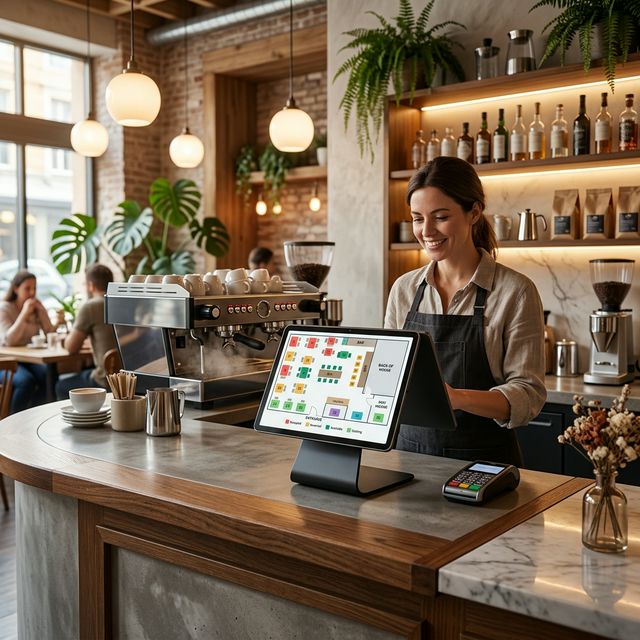
SmartBillPos gives restaurants and cafes a POS SaaS workflow built around order capture, table management, kitchen coordination, raw-material-aware menu control, and fast settlement for dine-in and takeaway service.

Table Management Kitchen Display Order Tracking Menu Management

Restaurant mode

Built for Restaurants and Cafes

Order-type billing, table assignment, order staff, kitchen status, and menu workflows for dine-in and takeaway.


4.8

Rating

500+

Shops

24h

Support

Platform modules

Core features used across all modes

These shared SmartBillPos modules sit underneath every industry mode, so billing, stock, accounts, and reporting stay connected in one workflow.

Products, stock, and branches

Manage products, categories, brands, units, customers, suppliers, branch stock, stock adjustments, and live movement from purchase to sale.

Sales, purchases, and returns

Run sales, purchases, sales returns, purchase returns, and day-to-day invoice flow without splitting core operations across tools.

Accounts, cash, and expenses

Track account management, account transactions, cash logs, expense categories, expense entries, deposits, withdrawals, and transfers between accounts or branches.

Barcode, labels, and receipt flow

Use barcode workflows, weighted barcodes, receipt settings, and product labeling for normal, weighted, and length-based products where the business needs them.

Before SmartBillPos

Common friction

Challenges restaurants and cafes face

Day-to-day issues business owners usually deal with before moving to a structured SmartBillPos workflow.

01

Slow order entry during rush periods

Restaurant mode is built around service flow, not only invoice printing, so front-of-house and kitchen teams stay synchronized.

02

Poor visibility between cashier and kitchen

Restaurants, cafes, bakeries, and food startups can connect menu output to ingredient usage for better cost visibility.

03

Difficulty managing dine-in, takeaway, and direct-sale items together

Sell prepared dishes and simple retail items from one branch without switching to another billing setup.

04

Limited clarity on ingredient usage and top-selling menu items

Capture cashier, waiter, and worker shifts so managers can see who handled which order and how each shift performed.


Best for

cafes with table service restaurants with dine-in and takeaway orders growing food businesses planning multiple branches quick-service restaurants food courts juice bars bakeries with dine-in

How SmartBillPos improves daily workflow

Smarter operations

How SmartBillPos improves daily workflow

These are the operating areas SmartBillPos strengthens once the mode is configured for this industry.

Table-aware order capture

Use order type, table number, waiter, menu item, modifier, kitchen status, payment account, and settlement details in the same workflow.

Menu modifiers and service flow support

For food businesses, menu items can be connected to raw materials so the business can measure usage against sales.

Kitchen order visibility

Track restaurant cash, digital payments, owner accounts, kitchen expenses, deposits, and transfers without separating the money flow from daily billing.

Order-type billing for dine-in and takeaway

Capture cashier, waiter, and worker shifts so managers can see who handled which order and how each shift performed.


Faster checkout

Avg. 40% less queue time

Revenue clarity

Real-time daily totals

Loss prevention

Cashier accountability

How it works

How SmartBill POS fits restaurants and cafes in Sri Lanka

The typical daily flow from stock check to end-of-day close.

01

Open tables and service mode

Start the shift with active tables, cashier sessions, and dine-in or takeaway order types ready for service.

02

Bill and route orders correctly

Pass cleaner order information to the kitchen while keeping the front-of-house team updated on service status.

03

Settle payment without losing order context

Finalize cash or digital payments while the table, waiter, and kitchen flow remain linked to the transaction.

04

Close with menu and shift visibility

Review menu movement, service bottlenecks, and staff performance before ending the shift.

Mode fields

Fields inside restaurant mode

Restaurant billing fields

Use order type, table number, waiter, menu item, modifier, kitchen status, payment account, and settlement details in the same workflow.

Prepared item and raw material links

For food businesses, menu items can be connected to raw materials so the business can measure usage against sales.

Cash, bank, and expense flow

Track restaurant cash, digital payments, owner accounts, kitchen expenses, deposits, and transfers without separating the money flow from daily billing.

Staff and shift details

Capture cashier, waiter, and worker shifts so managers can see who handled which order and how each shift performed.

Special operations

Mode-specific functions

Kitchen order workflow

Restaurant mode is built around service flow, not only invoice printing, so front-of-house and kitchen teams stay synchronized.

Recipe and ingredient awareness

Restaurants, cafes, bakeries, and food startups can connect menu output to ingredient usage for better cost visibility.

One system for food and direct-sale items

Sell prepared dishes and simple retail items from one branch without switching to another billing setup.

Reporting

Reports restaurants and cafes owners use most

Menu movement reports

See fast-moving dishes, slow-moving menu items, and items that need pricing or recipe attention.

Shift and service reports

Review performance by cashier, waiter, or shift to understand sales rhythm and operational bottlenecks.

Raw material and cost awareness

Food businesses can review how ingredient-linked items affect stock usage, waste, and production cost visibility.

Peak hour and payment mix reports

Spot service rushes, payment patterns, and dine-in versus takeaway demand to staff the floor more confidently.

Book a live demo

See SmartBill POS running live

Weโ€™ll show the billing flow, stock controls, reports, and daily setup that match this industry in Sri Lanka.

Chat on WhatsApp

Blog

More details for Restaurants and Cafes

View all articles