Business owners in Sri Lanka need more than a tool that only prints bills. They need one system that can support fast billing, stock control, purchasing, and reporting without forcing every business into the same workflow.
That is why SmartBillPos is built differently. It is a mode-aware POS platform that changes its behavior based on the type of business using it. A retail shop, supermarket, pharmacy, and restaurant do not operate the same way, so the system should not treat them the same way either.
In this guide, we explain what a modern POS system in Sri Lanka should do and why SmartBillPos is a practical fit for businesses that want real operational control in 2026.
What Is a POS System?
A Point of Sale (POS) system is software that connects billing, inventory, sales, and reporting in one place.
Instead of keeping bills in one system and stock in another, a POS system links the full workflow. When a sale happens, stock updates, reports refresh, and management gets a clearer picture of what is happening inside the business.
For Sri Lankan businesses, that means:
- faster billing
- better stock accuracy
- clearer sales visibility
- less manual work
What Makes SmartBillPos Different?
Many POS platforms offer the same screens to every business and only change labels. SmartBillPos goes further than that.
The system uses a business system_mode to control how important pages behave. That means pages like Product Create, Billing, Sale Create, Purchase, and Stock Adjustment can show different fields, rules, and workflows depending on the business type.
This is important because:
- a retail shop needs simple finished-goods billing
- a grocery business may need weighted products and decimal quantities
- a pharmacy needs batch and expiry control
- a restaurant needs table, kitchen, and order workflow
That is why SmartBillPos is better described as a business operating system, not just a billing screen.
SmartBillPos Business Modes
Retail Mode
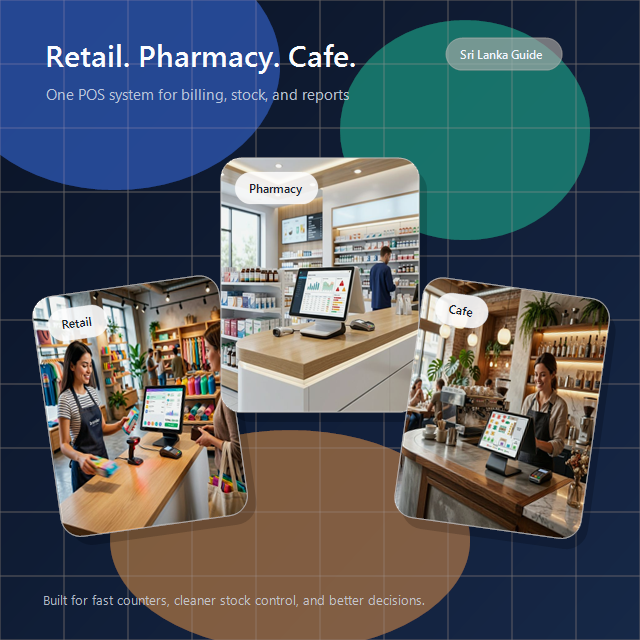
Retail mode is built for businesses such as clothing shops, hardware stores, electronics shops, and stationery stores.
The workflow is straightforward:
supplier -> purchase -> stock -> sale
Retail businesses usually need:
- barcode billing
- SKU and price control
- quantity-based stock
- fast checkout
- simple purchase entry
SmartBillPos keeps the retail workflow clean by focusing on the fields that matter and hiding extra fields such as batch, expiry, kitchen, and production sections.
Grocery Mode
Grocery mode is designed for supermarkets, mini marts, and mixed stores that sell both packaged goods and loose items.
This mode supports:
- weighted products
- decimal quantity sales
- barcode billing
- price-per-weight workflows
- optional batch and expiry visibility
That makes SmartBillPos suitable for grocery operations where one branch may sell both a bottled drink and 1.250 kg of apples from the same billing screen.
Pharmacy Mode
Pharmacy mode is built for compliance-focused operations where stock is not just quantity-based, but batch-based and expiry-based.
SmartBillPos helps pharmacies manage:
- batch numbers
- manufactured dates
- expiry dates
- expiry-aware billing
- low stock and expiry alerts
The system can support FEFO logic, meaning the batch that expires first should be sold first. It also helps block expired stock from being billed, which is critical for pharmacy safety and traceability.
Restaurant Mode
Restaurant mode is the most operationally different workflow in the platform. It is not only about printing a bill after adding items.
SmartBillPos restaurant mode supports:
- order-type based billing
- dining table assignment
- table or token reference
- order staff assignment
- kitchen status tracking
- menu modifiers
- raw materials and recipe-based operations
That gives restaurants a better flow for dine-in, takeaway, delivery, and kitchen coordination.
Key Pages That Change by Business Type
One of the biggest advantages of SmartBillPos is that the core pages adapt to the business mode.
Product Create
The product form changes based on what the business sells.
- retail focuses on barcode, SKU, and selling price
- grocery can enable weighted pricing
- pharmacy can require batch and expiry details when stock is added
- restaurant can expose menu and kitchen-related behavior
Billing Page
The billing page is where speed and validation matter most.
- retail billing stays simple and direct
- grocery billing supports weighted items and decimal quantities
- pharmacy billing validates expiry-sensitive stock
- restaurant billing behaves like order capture, not only invoice capture
Purchase and Stock Pages
Purchases and stock control also vary by business type.
- retail uses simple quantity-based stock entry
- grocery may combine quantity, expiry, and fast-moving stock review
- pharmacy relies on batch and expiry-aware stock records
- restaurant may track both direct-sale items and raw materials
What to Compare Before Choosing a POS System in Sri Lanka
If you are comparing software vendors, do not only compare the monthly fee. You should also compare how well the system fits your daily operating model.
1. Does it match your industry workflow?
A supermarket, pharmacy, and restaurant should not be forced into the same billing logic.
2. Can the team learn it quickly?
The best system is the one your staff can use correctly under real working pressure.
3. Does it connect billing, stock, and reporting?
Disconnected tools create manual work and reporting gaps.
4. Can it support growth?
As sales volume, products, users, and branches increase, the system should still stay practical.
5. Is local support available?
When a branch is busy, fast support matters as much as the feature list.
Why SmartBillPos Is a Practical Fit
SmartBillPos is designed for Sri Lankan businesses that want one platform for billing, inventory, purchasing, and reporting, while still preserving the workflow differences that matter in real life.
It is a strong fit for businesses that want:
- a system that changes with the business type
- faster billing without losing control
- clearer stock visibility
- better branch and staff oversight
- a practical cloud-ready setup with local support
If you want to see how SmartBillPos fits your business, you can review pricing, explore features, or contact the team for a demo.
Final Thoughts
A modern POS system in Sri Lanka should do more than speed up billing. It should reflect how the business actually works.
That is what makes SmartBillPos valuable. It gives retail stores, grocery businesses, pharmacies, and restaurants one platform with different operational personalities, so each business gets a more realistic workflow without needing different software products.
If you are planning to modernize your operations in 2026, SmartBillPos is built to help you do that with more clarity and less manual work.